

How to Download and Install Dragonary on 3 Platforms
Dragonary is a fantasy-themed strategy game where players collect and battle dragons. The game offers a unique and exciting gaming experience filled with mythical creatures and thrilling battles.
Through its catchy gameplay, Dragonary attracted a massive player base since its release. With our step-by-step guide, you will learn how to download and install Dragonary on your device. Get ready to immerse in the world of dragons and battles!
Go to the Dragonary Official Website
First, simply head over to the official Dragonary website. You will be greeted with this awesome homepage screen!

From here you can browse through the website’s content and know more about the game or proceed with the next steps.
Go to the Download Section

You can find the Download section at the top portion of the screen beside the Sign Up button. Once you click that, you will be redirected to a section containing all the download links for the game.
Download the Installer
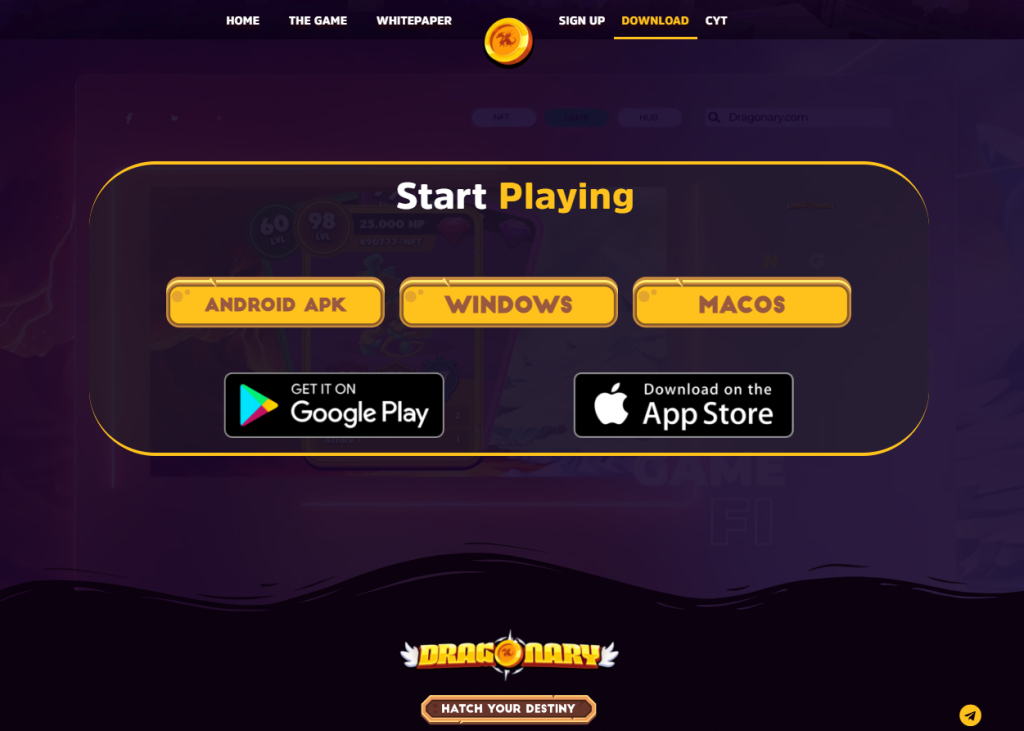
Through the download section, you will find five different links from where you can download the installer of Dragonary. The following links are also compiled below:
- .com/store//details?id=com.Coinary.Dragonary” data-type=”URL” data-id=”https://play..com/store//details?id=com.Coinary.Dragonary” target=”_blank” rel=”noreferrer noopener nofollow”> Play
 -Play-1024×582.png” alt=”Dragonary Play” class=”wp-image-238423″ title=”Dragonary Play” srcset=”https://p2enews.com/wp-content/uploads/2023/02/-Play-1024×582.png 1024w, https://p2enews.com/wp-content/uploads/2023/02/-Play-300×171.png 300w, https://p2enews.com/wp-content/uploads/2023/02/-Play-768×436.png 768w, https://p2enews.com/wp-content/uploads/2023/02/-Play.png 1251w” sizes=”(max-width: 1024px) 100vw, 1024px”>
- ..com/us/app/dragonary/id1587063405″ target=”_blank” data-type=”URL” data-id=”https://..com/us/app/dragonary/id1587063405″ rel=”noreferrer noopener nofollow”>App Store
-Store-1024×586.png” alt=”Dragonary App Store” class=”wp-image-238424″ title=”Dragonary App Store” srcset=”https://p2enews.com/wp-content/uploads/2023/02/-Store-1024×586.png 1024w, https://p2enews.com/wp-content/uploads/2023/02/-Store-300×172.png 300w, https://p2enews.com/wp-content/uploads/2023/02/-Store-768×439.png 768w, https://p2enews.com/wp-content/uploads/2023/02/-Store.png 1248w” sizes=”(max-width: 1024px) 100vw, 1024px”>Closing
By following this simple guide, you can now finally start playing Dragonary and get involved in a world full of dragons. Be careful out there!
If you want to get more guides like this, make sure to stay tuned through our P2E News website and social media channels.
